
We’ve all been there. You send a message on iMessage… and suddenly, silence. No reply. No reaction. Just unanswered texts staring back at you. It’s completely natural to start wondering how to know if someone blocked you on iMessage, especially when things felt normal before.
In this guide, we’ll break down the real signs, common misconceptions, and what your iPhone is actually telling you. No guesswork, no drama — just clear, honest explanations based on how iMessage works.
How iMessage Blocking Actually Works
Before jumping to conclusions, it helps to understand how blocking functions on iPhones.
When someone blocks you on iMessage:
-
Your messages still send, but they never reach the other person
-
You won’t receive any notification saying you’re blocked
-
Apple keeps this intentionally subtle for privacy reasons
That’s why figuring it out feels confusing — and why myths spread so easily.
Signs That Someone May Have Blocked You on iMessage
1. iMessages Are No Longer Delivered
One of the biggest clues is the missing “Delivered” status under your message.
Normally, you’ll see:
-
Delivered → message reached their device
-
Read → they opened it
If “Delivered” never appears and this happens consistently, blocking is a possibility.
However, poor internet or a switched-off phone can cause the same thing.
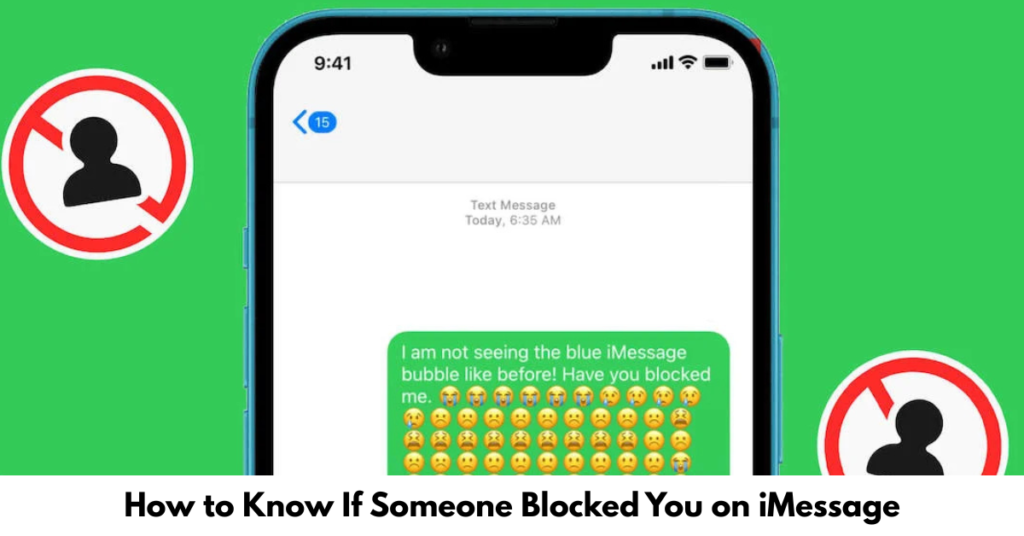
2. Messages Turn Green Instead of Blue
iMessages are blue. SMS messages are green.
If your texts suddenly:
-
Switch from blue to green
-
Say “Sent as Text Message”
It could mean:
-
They blocked you
-
Their phone is off
-
They disabled iMessage
-
They switched to Android
So while this sign matters, it’s not proof on its own.
3. You Can’t See Their Typing Indicator or Read Receipts
If you previously saw:
-
Typing bubbles
-
“Read” receipts
and now you see nothing at all, blocking might be involved — especially if combined with other signs.
4. FaceTime Calls Go Straight to “Unavailable”
Try FaceTime (not a regular call).
If:
-
It rings once or not at all
-
Immediately shows “FaceTime Unavailable”
This can be another hint, though network issues can still interfere.
5. Regular Calls Go Straight to Voicemail
When blocked:
-
Calls won’t ring
-
You’re sent directly to voicemail
If this happens every time and messages aren’t delivering, the likelihood increases.
What iMessage Blocking Does NOT Do
Let’s clear up popular myths you’ll often see in threads like how to know if someone blocked you on iMessage Reddit.
Blocking does not:
-
Notify you
-
Delete past chats
-
Remove them from your contacts
-
Stop green SMS messages from sending
Reddit is full of theories, but Apple keeps things intentionally vague.
How to Confirm Without Confrontation
If you want clarity without awkward conversations, here are safer options:
-
Send a message from another Apple ID
-
Ask a mutual friend to message them
-
Check if your messages deliver days later
If nothing goes through across multiple methods, blocking becomes more likely.
Common Reasons People Jump to the Wrong Conclusion
Many people searching how to know if someone blocked you on iMessage 2023 assume blocking when it’s actually:
-
Do Not Disturb mode
-
Airplane mode
-
Dead battery
-
Poor cellular signal
-
iMessage server issues
Always rule these out first.
What You Should Not Do
Avoid these moves:
-
Repeated texting
-
Calling nonstop
-
Using third-party “block checker” apps
-
Creating fake accounts to test them
These usually create more stress — and don’t give reliable answers.
FAQs: iMessage Blocking Questions People Ask Most
Can you tell for sure if someone blocked you on iMessage?
No. Apple does not provide a confirmation. You can only infer from repeated patterns.
Will messages show “Delivered” if I’m blocked?
No. Messages will send but won’t show “Delivered.”
Does green text always mean you’re blocked?
No. It can also mean the recipient disabled iMessage or switched devices.
Can someone block me on iMessage but not calls?
Yes. iMessage, FaceTime, and phone calls can be blocked separately.
Does blocking delete old messages?
No. Previous conversations remain visible on both devices.
Conclusion
Trying to figure out how to know if someone blocked you on iMessage can feel frustrating — especially when there’s no clear answer. While Apple doesn’t make it obvious, patterns over time usually tell the story.
If your messages never deliver, calls go straight to voicemail, and FaceTime doesn’t connect, blocking might be the reason — but it’s never the only explanation.
Sometimes, the healthiest next step isn’t confirming the block… but deciding how much energy the situation deserves.